


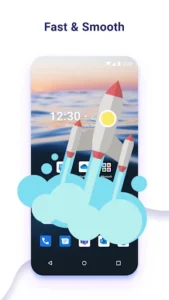
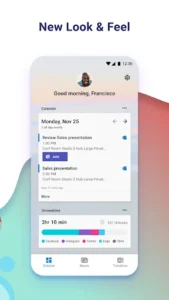
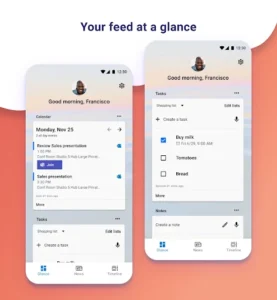
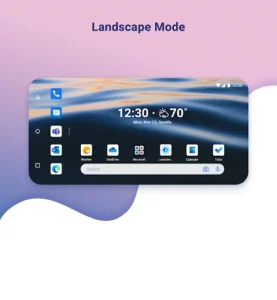
Microsoft Launcher offers a comprehensive replacement for your device’s home screen, designed to help you organize your Android experience. It allows users to personalize the visual presentation of their phone while providing streamlined access to essential information. A key feature is its personalized feed, which integrates elements like your calendar, to-do lists, and Sticky Notes directly into your home screen view, making it easier to manage daily tasks and information. When setting it up, you can choose to either begin with a fresh layout or import your existing home screen configuration, and it supports switching back to your previous launcher if you wish.
Customizing Your Home Screen
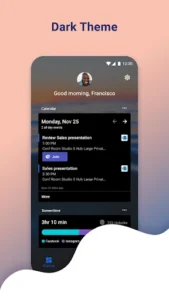
The app allows for extensive customization of your home screen’s appearance. You can give your phone a consistent look by applying custom icon packs and adaptive icons. For visual variety, you can choose to display a fresh image from Bing every day as your wallpaper, or select your own photos. A Dark theme is also available, making the phone more comfortable to use at night or in low-light conditions. This theme is designed to be compatible with Android’s system-wide dark mode settings.
Integrated Information Access
A core aspect of Microsoft Launcher is its ability to centralize key information through a personalized feed. This feed makes it simple to view your calendar events, check your to-do lists, and access Sticky Notes, supporting productivity by keeping these tools readily available on your home screen. The app supports the creation of Sticky Notes on the go, further integrating them into your mobile workflow.
Navigation and Setup Management
Navigating your device is enhanced through customizable gestures. You can use actions like swiping, pinching, or double tapping on the home screen to move through the interface efficiently. For managing your home screen configurations, the app includes a Backup and Restore feature. This allows you to save your personalized home screen setups, either locally on your device or to cloud storage, which is useful for moving between different phones or experimenting with new layouts.
Understanding Optional Permissions
To unlock the full range of its capabilities, Microsoft Launcher may request several optional permissions. For instance, the Microphone permission enables speech-to-text functionality for features like Bing Search, Bing Chat, To Do, and Sticky Notes. Photo and video permissions are used for displaying wallpapers, enabling Blur Effect, supporting Bing Chat Visual Search, and showing recent activities or backups. Similarly, location permission is needed for the Weather widget, and phone permission allows you to call contacts directly with a swipe within the launcher. While you can use the app without granting all these permissions, some functions will be restricted or unavailable.










Write a review